

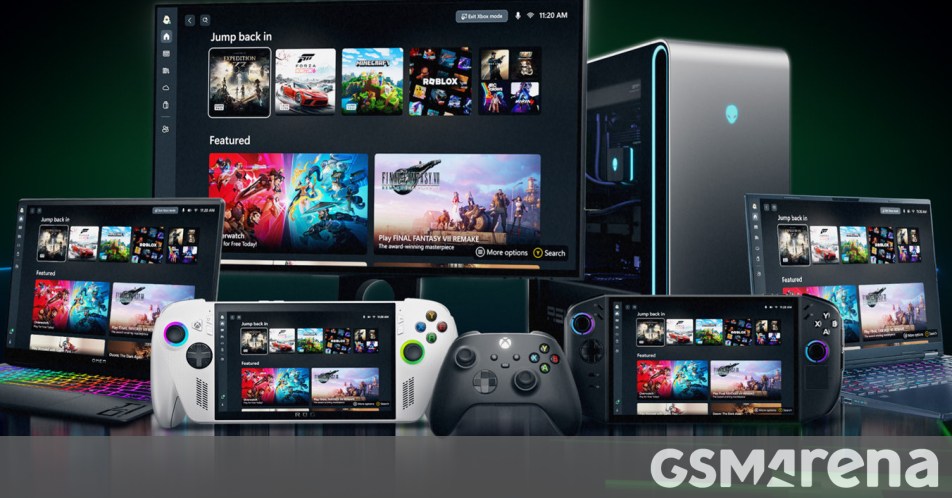
Microsoft has officially announced that it has started rolling out Xbox Mode for Windows 11 “in select markets.” It will be available on desktop, laptop, and tablet, and it promises to bring a “console-inspired Xbox experience to more players than ever before.”
Xbox Mode makes it easier to get into your games, with a controller-optimized full-screen experience “made for playing.” Xbox Mode’s “streamlined interface” keeps your library and recently played titles in easy reach, and it also reduces background distractions.
It lets you browse and launch games with your controller and you can access a comprehensive game library, including the full game catalog from Xbox Game Pass, as well as “installed games from leading PC storefronts.”
You can switch back and forth between Xbox mode and Windows 11 desktop whenever you want. Xbox Mode was first introduced on Windows handhelds and was known as the “full screen experience”. The feedback Microsoft has received from players about the initial feature set has “shaped the Xbox Live mode on Windows 11 PCs,” the company says.
To get Xbox Mode on your Windows 11 PC, go to Settings > Windows Update and turn on “Get the latest updates as they become available.” Note though that this doesn’t guarantee the feature will be available to your device immediately – Microsoft says it’s gradually expanding Xbox Mode’s reach “over the next several weeks.”
