

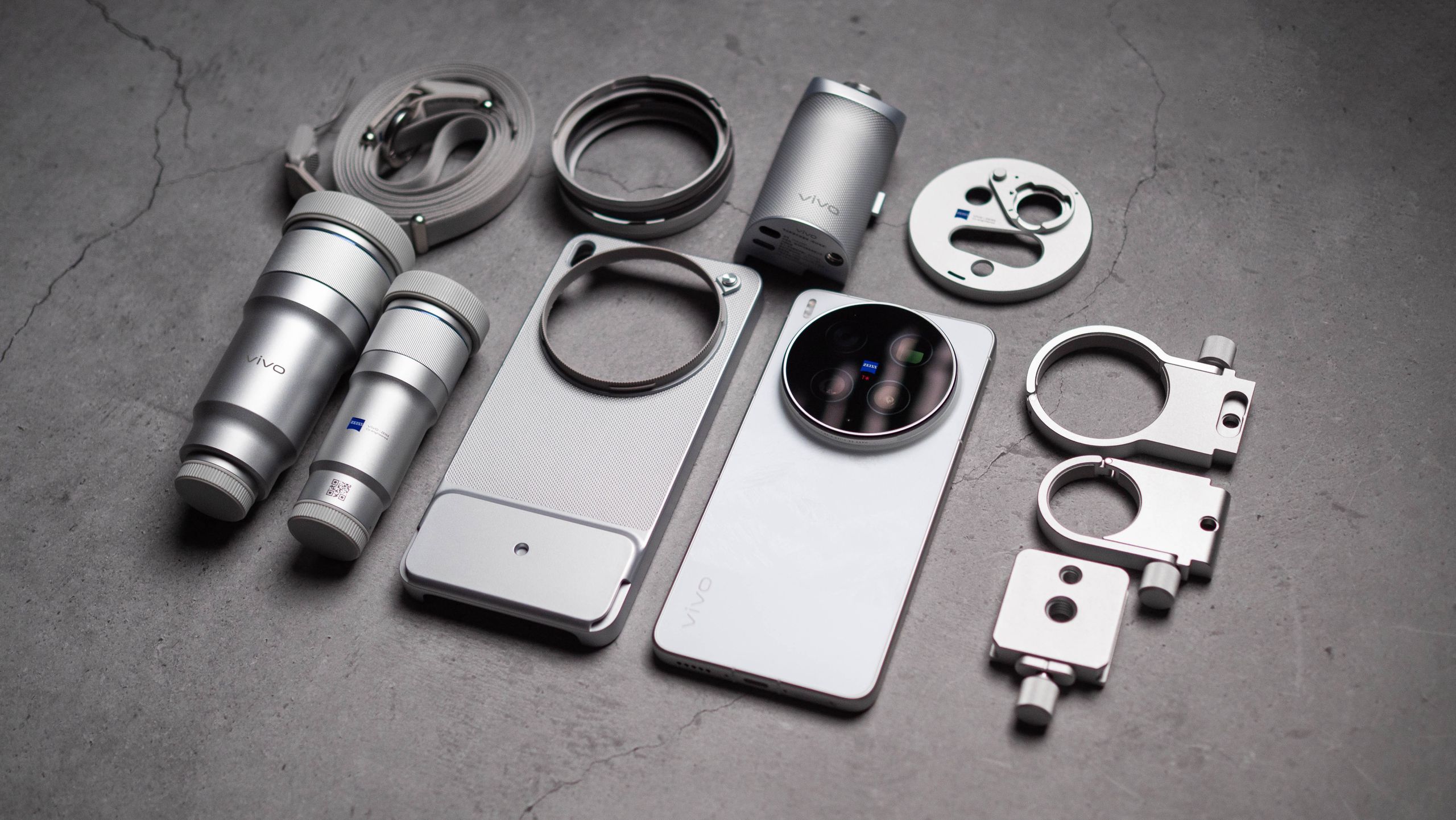
Phones sold in China differ significantly from their global counterparts. Since these phones don’t have a Play Store, each brand offers its own separate app store, and they also handle updates differently.
I’ve used Chinese variants of Vivo, Oppo, Xiaomi, Huawei and Honor phones over the last 12 months, and what stood out is that there isn’t as much difference between the global models – at least in terms of software – as there used to be.
Article continues below
Data transfer is instant
Google has a built-in tool that handles data transfers to new Android phones, and although it’s slower than I expected, it does an effective job of transferring your content – including photos, videos, messages, apps, calls, contacts, etc. – to your new phone.
But since Chinese phones don’t use Google services, brands have their own options. In Vivo’s example, the manufacturer uses EasyShare to transfer data to your new device, and it’s significantly faster than Google’s solution. I transferred over 100GB of data while setting up the Chinese model of Vivo X300 Ultra Xiaomi 17 Ultra, and it only took less than 10 minutes to transfer all that data.
What I like most is that it brings all the apps to your existing phone, and this solves many problems of not having the Play Store pre-installed.
Installing the Play Store and Google services is a breeze

The biggest limitation of using a Chinese phone is that it does not have Google Mobile Services (GMS). This means you won’t get the Play Store, Chrome, YouTube, Gmail, or any other Google services installed out of the box.
However, this is not a problem on modern Chinese phones, as you can easily install the Play Store, and then download all the apps you normally use. Most of these phones have something called Google Basic Service Management, located in Settings. You’ll need to enable it, and it provides the expected services that Google uses to do a lot of the things you get with the Play Store on the global model.
After that, you can simply visit the brand’s app store and install the Play Store like any normal app. Honestly, it’s so easy to do these days that I don’t mind using a phone with Chinese software. Once you’ve set up the Play Store and logged in to your Google account, it’s just like using a global model.
You will inevitably encounter notification issues

The only real problem that hasn’t been resolved are notification issues. When using a phone with a Chinese ROM, I keep seeing issues with push notifications in apps like Gmail, Slack, WhatsApp, etc. This is because of the way Chinese models address background memory usage – it’s slightly different from the way global models do.
Basically, since the Play Store is not seen as a system app (since it’s not preloaded), anything you install using it doesn’t have easy access to background memory usage. This is done as a measure to prevent nefarious apps from stealing your data, but the downside is that it affects legitimate apps in the same way. The solution I use is to go into the individual app’s settings and disable battery optimization and memory management. This works moderately well; After about a week of use, I get notifications from most of the apps I do this with, but there are still intermittent issues – just something you need to pay attention to.
Get ready to see a lot of bloatware

Whether it’s a custom search engine, AI agents that can’t be disabled, or things like satellite connectivity on the X300 Ultra that requires a China Mobile SIM, there are plenty of features on Chinese phones that aren’t usable outside China.
While this is frustrating in itself, what’s even more annoying is the sheer amount of bloatware on these devices. While most brands are doing a good job in this regard on their global models – I don’t see many pre-installed apps on my global X300 Ultra – the Chinese models have extensive bloatware. Thankfully, most apps are easy enough to uninstall, but it’s annoying, and when it comes to AI-assisted chatbots or digital assistants that can’t be disabled, all you can do is mute the feature and figure out how not to accidentally trigger it.
You may not get after-sales service

The after sales service is still poor if you are using a phone sourced from China. Now, this isn’t particularly problematic if the phone in question is sold in your country. In that scenario, you should be able to get the device serviced, but again, it entirely depends on whether the service center has the requisite spare parts or not.
You can save up to 40%

The main reason to pick a Chinese phone is the difference in cost. The X300 Ultra is priced starting at 6,999 RMB in China, and the 16GB/1TB configuration is available in the country for 8,999 RMB ($1,319). To put this in context, the same 16GB/1TB version of the global model sells for an incredible €1,999 ($2,341) in Austria, and there’s a $1,000 difference in cost between the two.
Yes, you’ll have to pay an extra $100 to $200 because you’ll have to buy these phones through a reseller, but that’s still about 40% less than what you’ll pay when buying the global model.
Although there are drawbacks to using Chinese models, they are nowhere near as obvious as in the past, and honestly, the only real issue is the lack of consistent push notifications. Other than that, I don’t see any usability issues with the Chinese version of the X300 Ultra, and if you’re interested in a camera phone and willing to try something different, getting the Chinese model is a valid choice.
