

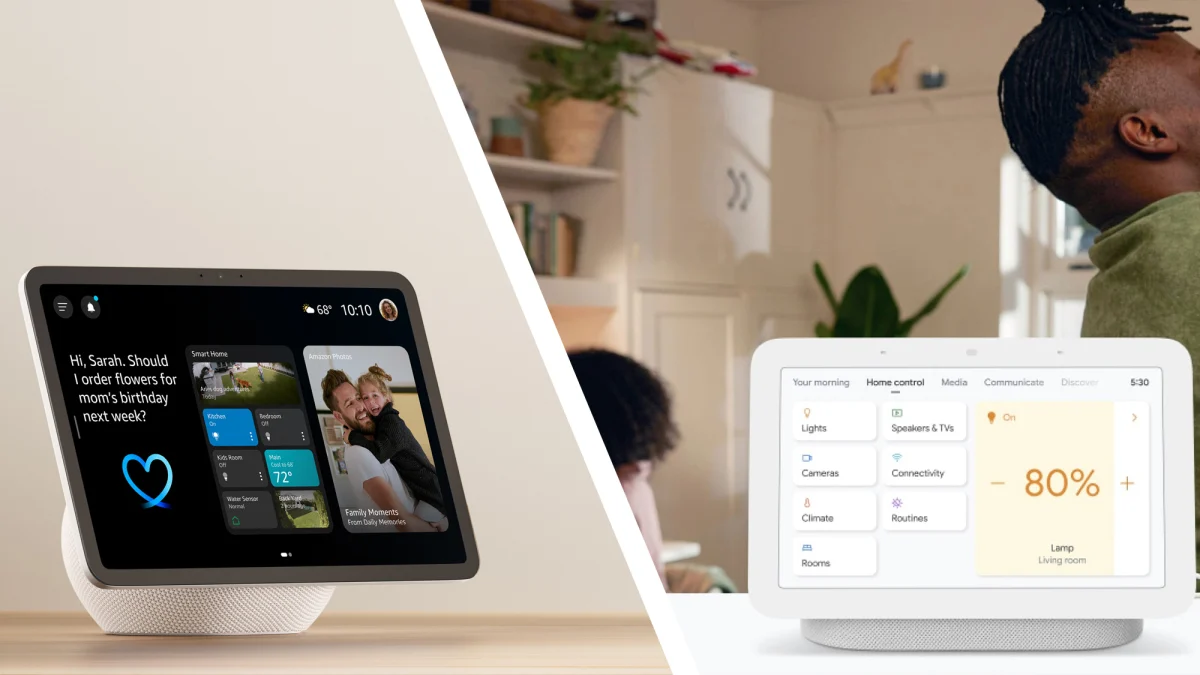
AI chatbots are coming for your smart home. Both Alexa+ and Gemini for Home are now becoming available to users who have opted to upgrade from the standard Alexa and Google Assistant, respectively.
Once you get access, they’ll do everything we’ve become familiar with from these next-generation AI assistants — natural language conversations, complex questions and responses, various hallucinations — while retaining all the previous smart-home functionality, whether it’s turning off lights or checking in on a video doorbell.
I got access to both of these upgrades within a week, which gave me the chance to test them against each other. With an Amazon Echo Show, Google Nest Hub, and a selection of Philips Hue smart lights, I got the job done.
Upgrading to Alexa+ and Gemini for Home
Upgrades to both Alexa+ and Gemini for Home are reflected in the respective apps on your phone. You’ll be asked to install the new AI assistant, then go through some basic configuration steps (like choosing a voice for the AI). Once that’s done, it’s just a matter of saying “Hey Alexa” or “Hey Google” and talking to the app on your phone or one of the smart devices you have.
Alexa+ has one advantage in terms of its web app: If you use it via a browser, you get a smart home controls section you can switch to. Gemini on the web won’t understand or implement any smart-home-related commands you give it, though confusingly it does sync chats you have on your phone app, which if you look back will include these commands.
Alexa app updated with Alexa+
Credit: Lifehacker
When it comes to smart home control (turning things on and off) both of these AI apps only offer the basics for free. With Alexa+, if you want the full conversational AI experience, it’ll cost you $19.99 per month – although it’s also available as part of Amazon Prime, which costs $14.99 per month. Note that this is separate from any Ring subscription you need to store your video recordings.
With Gemini for Home, conversational AI is paid, as is video recording history. You can choose to pay $10 or $20 per month, depending on how much video history you want (these plans replace the old Nest Aware). The higher tier also gets you AI-powered event descriptions and summaries for what’s happening in any recorded video clips (“A delivery driver arrived at 1 p.m.”, etc.), and if you already pay Google $19.99 per month or more for one of the other Gemini AI plans, you get Gemini for Home included.
How Alexa+ and Gemini for Home stack up against each other
With the AI on, I asked what day I would need an umbrella. While both assistants understood the question accurately and told me the weather forecast for the week, I preferred Gemini’s answer: it was more comprehensive, and actually answered the question about umbrellas for each day (Alexa+ gave me rain for each day, and left me to make up my own mind about umbrellas, although the graphics were nice).

Google Home app updated with Gemini.
Credit: Lifehacker
I requested some tips about bathroom cleaning, and both Alexa+ for Home and Gemini gave me informative and error-free answers (as far as I can tell). They both accurately summarized several movies for me without a hitch, though Alexa+ was more cautious when it came to spoilers.
These are the types of questions and prompts you can ask through Alexa+ and Gemini — but it’s the smart home integration I was most interested in seeing. When you update to Alexa+ or Gemini for Home, all your existing devices with smart assistant access get the upgrade, too.
What do you think so far?
How Alexa+ and Google for Home integrate with smart home devices
It’s in controlling your smart home devices where things get tricky for Alexa+ and Gemini for Home, because they first have to recognize that you’re providing a simple command – and then they have to complete it instead of giving you long answers about the features of smart lights or the best affordable smart cameras for families.
I was expecting some mistakes and bugs here, but was pleasantly surprised by both AIs: I was able to easily change my smart-light settings with my voice, including their color and their brightness, as well as whether they were on or not.

Setting up a Smart Light Routine with Alexa+
Credit: Lifehacker
Scheduled actions also worked well: I told Gemini for Home to turn on my smart lights at a certain time, and asked Alexa+ to turn them back off later, and my instructions were followed exactly. You can also set these routines to repeat at certain time periods, and they’re saved in the app in case you need to make edits.
If you have an Amazon or Google smart display, you can set up widgets for your smart home devices, and control them with a few taps. Both my Echo Show and my Nest Hub let me control the lighting position, color, and brightness from the screen, and both worked flawlessly with no lag.
I also tested reminders and timers – two other features you’ll want to access through your smart speaker or smart display. Then, both Alexa+ for Home and Gemini did what they were told, correctly identifying commands and carrying out instructions rather than straight-up AI prompts.

Setting up a smart light routine with Gemini for home.
Credit: Lifehacker
With no smart home camera or doorbell installed, I couldn’t test the video features offered by these AIs. anecdotal evidence Tips that they can be a bit hit-or-miss when identifying what’s going on in a clip and summarizing it for you – so you shouldn’t expect them to always be completely accurate. In general, I found Alexa+ and Gemini for Home to be reliable, smart, and useful.
